Adding smooth scrolling to your Wix website enhances user experience by creating a fluid and polished transition between scroll actions.
In this guide, we will implement smooth scrolling using Lenis, a lightweight JavaScript library for smooth page scrolling.
Requirements
- A Wix Premium Plan (Custom code functionality is only available in premium plans).
Smooth Scroll in a Wix Website Guide
Step 1: Adding the Custom Code
To enable smooth scrolling, we will use Lenis.js. Below is the custom code you need to add to your Wix website:
<script src="https://unpkg.com/@studio-freight/lenis@1.0.42/dist/lenis.min.js"></script>

<style>

/* Ensure the page height is correctly set for Lenis */

html.lenis, html.lenis body {

height: auto;

}

/* Override default scroll behavior */

.lenis.lenis-smooth {

scroll-behavior: auto !important;

}

/* Prevent scrolling when necessary */

.lenis.lenis-stopped {

overflow: hidden;

}

</style>

<script>

// Initialize Lenis with smooth scrolling configuration

const lenis = new Lenis({

lerp: 0.1, // Damping effect for smoothness

wheelMultiplier: 0.7, // Adjust scroll speed

gestureOrientation: 'vertical', // Enable vertical scrolling

normalizeWheel: false, // Preserve native wheel behavior

smoothTouch: false // Disable smooth scrolling for touch devices

});

// Animation frame loop to keep Lenis active

function raf(time) {

lenis.raf(time);

requestAnimationFrame(raf);

}

requestAnimationFrame(raf);

</script>
Step 2: Implementing the Code in Wix Studio
Follow these steps to add the custom code to your Wix website:
- Go to your Wix Studio dashboard.
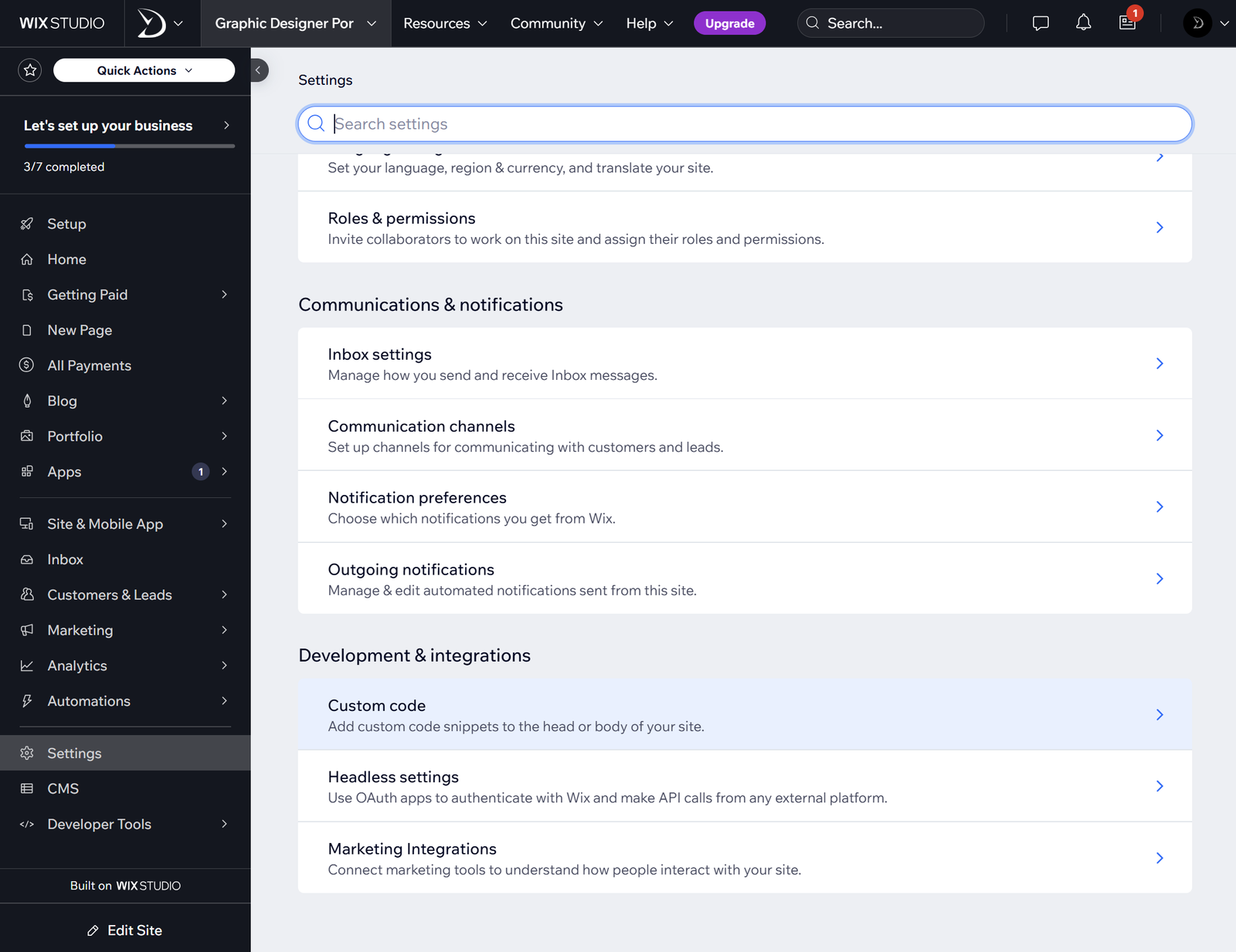
- On the bottom-left, click Settings.
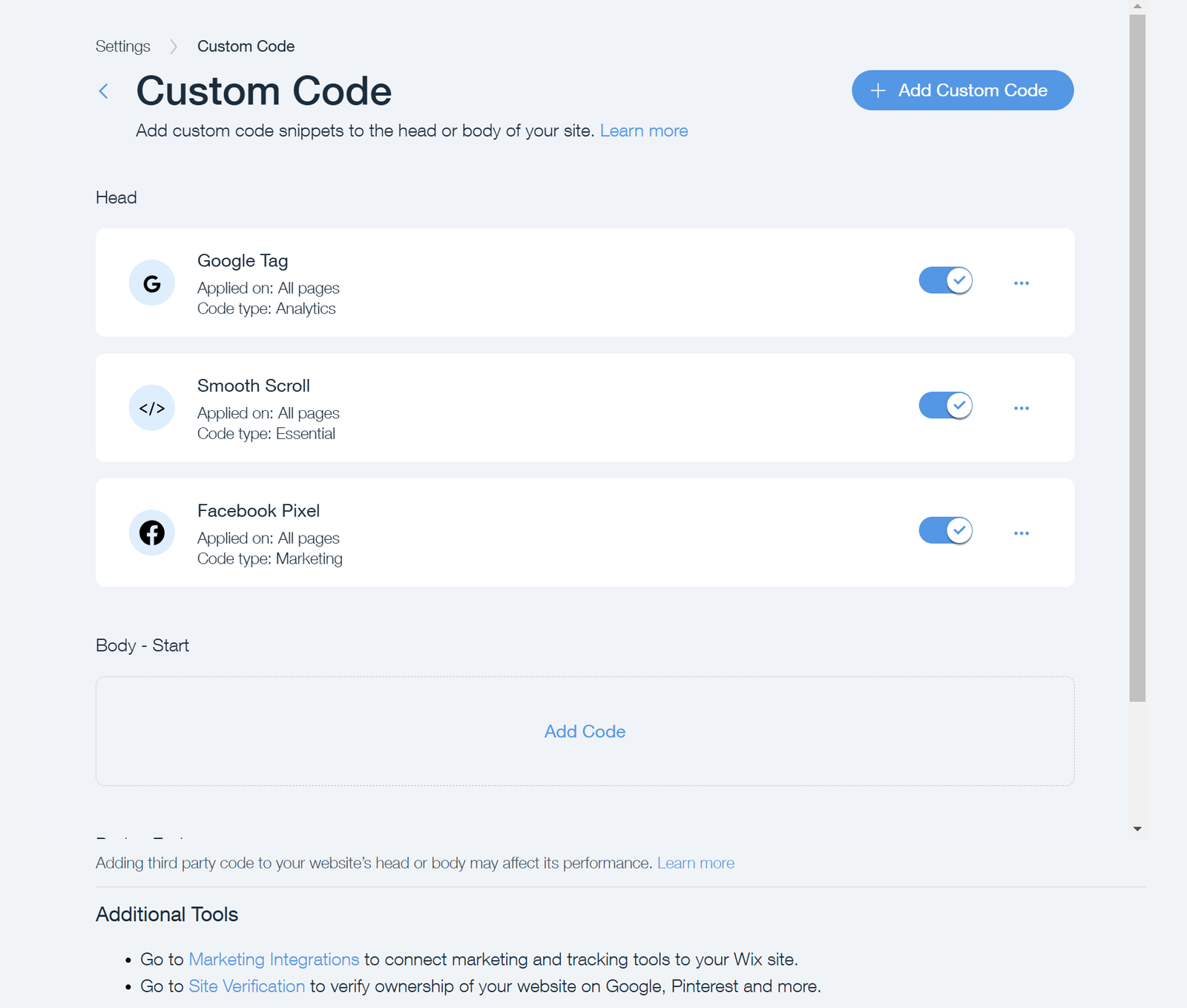
- In Settings, search or scroll down to find Custom Code.
- Click Add Custom Code.
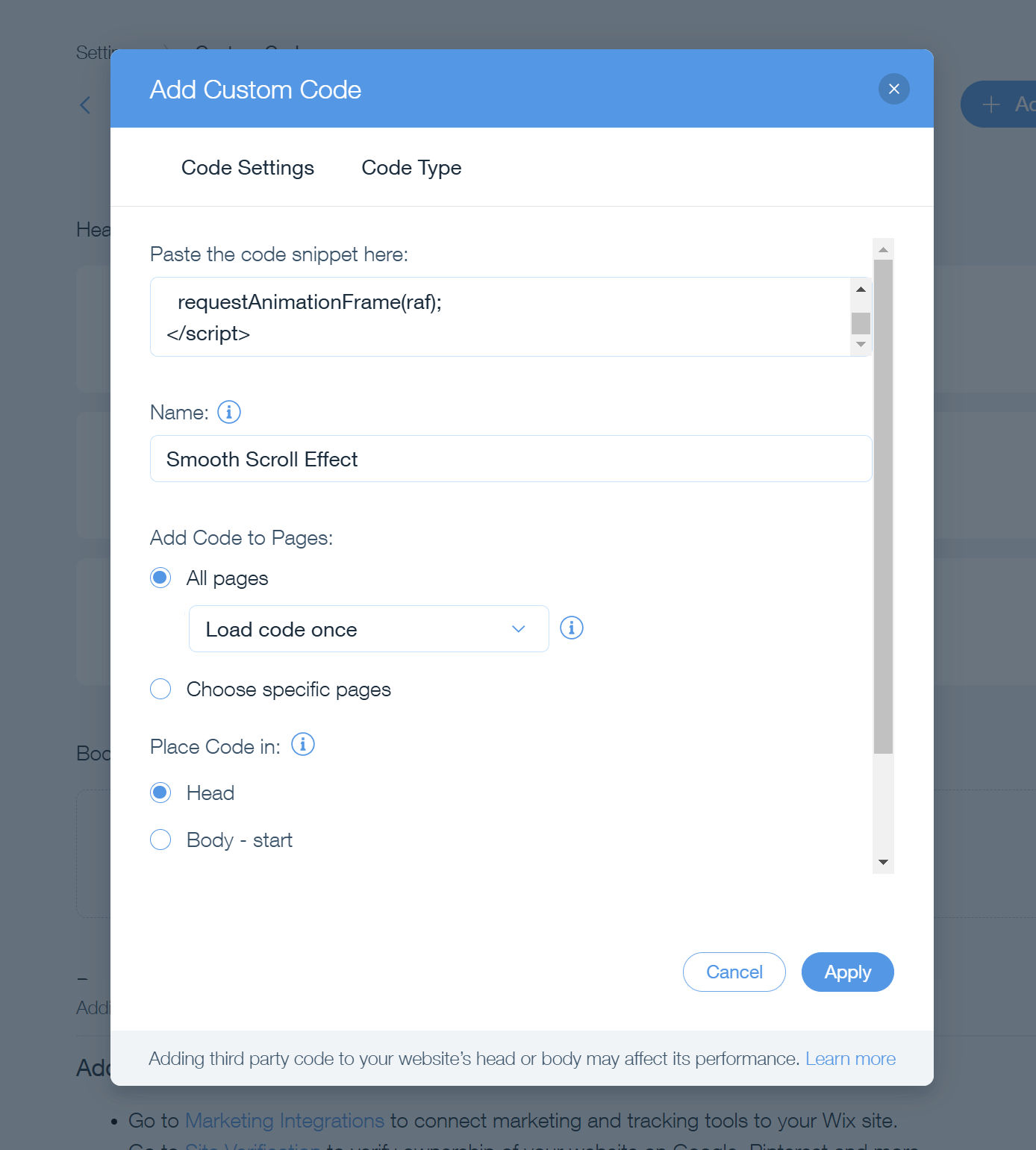
In the pop-up panel:
- Paste the custom code in the "Paste the code snippet here:" box.
- Give it a recognizable name like "Smooth Scroll".
- Apply the code to all pages.
- Set the placement to Head.
- Click Apply.
Step 3: Testing the Smooth Scroll Effect
- Refresh your published website to activate the smooth scrolling effect.
- Scroll up and down to experience the fluid transition.
- If you want to adjust the smoothness, modify the lerp and wheelMultiplier values in the script.
Credits
- Lenis.js developed by Studio Freight
Conclusion
Adding smooth scrolling to a Wix website significantly improves the user experience, giving it a professional touch. Following this guide, you can effortlessly integrate Lenis.js and achieve a seamless scrolling effect on your Wix site.
It is a small polish detail, and exactly the kind of thing our Motion & Interaction Design service builds into client sites by default.